Brake Rotor Lifespan Calculator
How Your Driving Affects Rotor Life
Estimate your brake rotor lifespan based on your specific driving conditions.
Estimated Rotor Lifespan
0 miles
Important: This is an estimate only. Actual lifespan depends on many factors including:
- Brake pad condition
- Weather conditions
- Maintenance history
- Vehicle load
Next Inspection Recommended:
Brake rotors don’t last forever. If you’ve ever heard a grinding sound when you press the pedal, or felt your car shaking during a stop, you’re not imagining it - your rotors are probably worn out. But how long should they actually last? The answer isn’t simple. It depends on how you drive, where you live, and what kind of rotors your car came with. Most drivers can expect rotors to last between 30,000 and 70,000 miles, but some go beyond 100,000 miles. Others need replacing before 25,000. Let’s cut through the noise and give you the real facts.
What Brake Rotors Actually Do
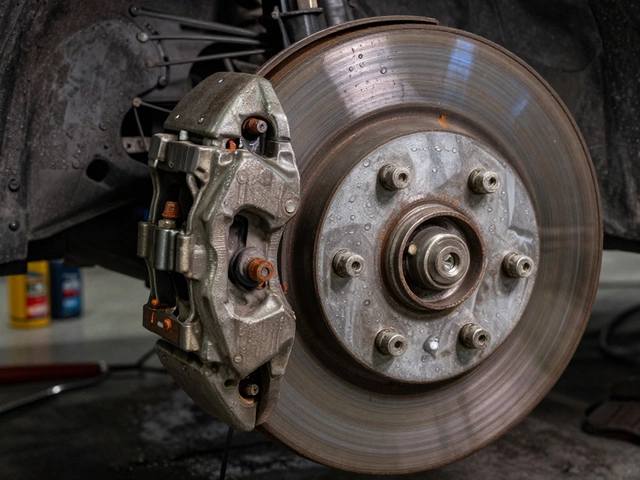
Brake rotors are the metal discs attached to each wheel. When you hit the brakes, the brake pads clamp down on these rotors. The friction between the pad and rotor slows the wheel down. That’s it. Simple. But that simple action creates a lot of heat and wear. Over time, the surface of the rotor gets scored, warped, or uneven. That’s when you start feeling vibrations in the steering wheel or pedal. Rotors aren’t like brake pads - you can’t just replace them every other service. They’re built to last longer, but they don’t last forever.
What Drives Rotor Wear?
Not all driving is equal. If you live in Bristol and commute through the city center every day, your rotors are going to wear faster than someone who drives mostly on open highways. Stop-and-go traffic means constant braking. Heavy braking - like slowing down from 70 mph to 0 in a short distance - generates more heat and stress. That heat causes the rotor surface to expand and contract, which can lead to warping. Even the weather plays a role. Salt on winter roads corrodes rotors. Moisture in humid climates can cause rust buildup, especially on the edges.
Driving style matters too. Aggressive drivers who brake hard and often will wear rotors down in half the time of someone who anticipates stops and coasts to a halt. If you haul heavy loads - like towing a trailer or carrying a full roof rack - your rotors are working harder. Same goes for driving in hilly areas. Every descent is another chance for heat buildup.
Types of Rotors and Their Lifespan
Not all rotors are made the same. Your car likely came with one of three types:
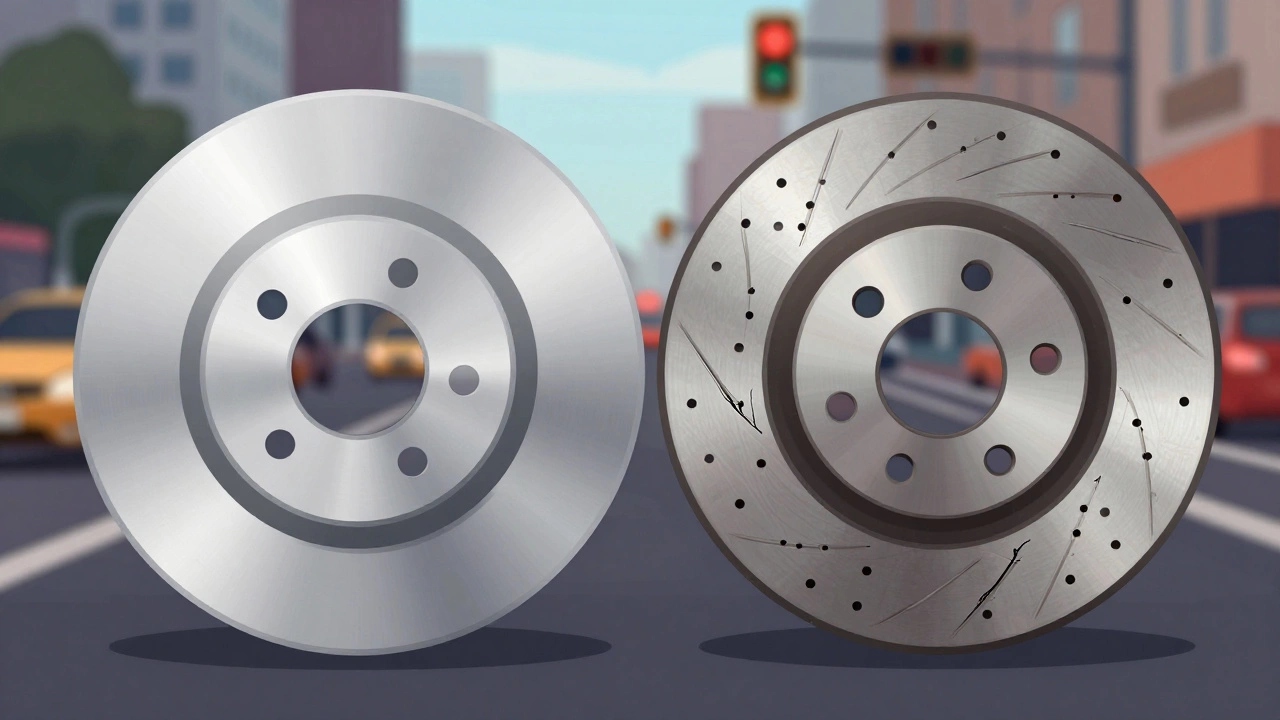
- Blank (plain) rotors: These are the most common. They’re inexpensive and work fine for everyday driving. Expect 30,000 to 50,000 miles from them.
- Drilled rotors: These have holes drilled into the surface. They look cool and help with heat dissipation, but they’re more prone to cracking under heavy use. They’re popular on sporty cars but rarely last longer than 40,000 miles in real-world conditions.
- Slotted rotors: These have grooves cut into the surface. They’re better at clearing away brake dust and gas buildup, which helps maintain braking power. They’re common on performance vehicles and can last up to 60,000 miles if maintained well.
Aftermarket performance rotors often come with coatings or special alloys that resist corrosion and heat. These can extend life by 15-20%, but they cost more upfront. For most people, sticking with OEM-style blank rotors is the smartest choice.
Signs Your Rotors Need Replacing
You don’t need a mechanic to tell you when it’s time. Here’s what to watch for:
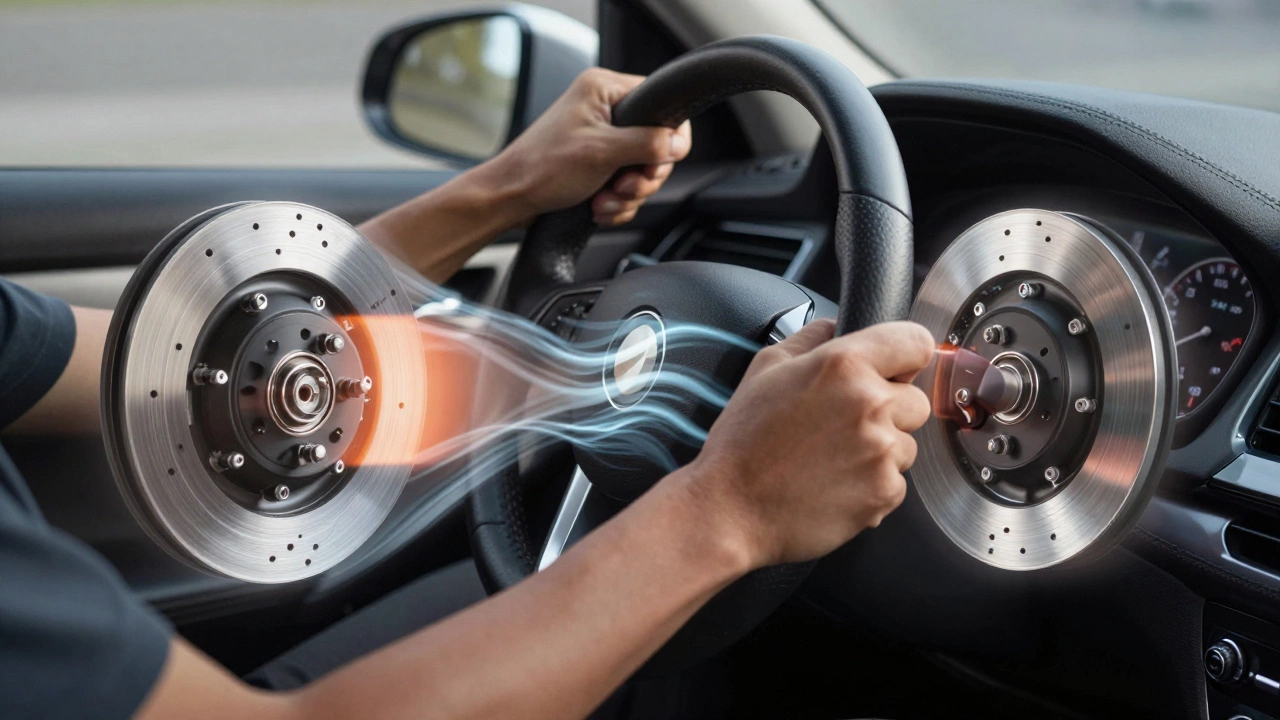
- Vibration in the steering wheel when braking - this is almost always a warped rotor.
- Thinning rotor surface - if you can see the rotor’s surface is less than 2mm thick, it’s unsafe. Most manufacturers specify a minimum thickness stamped on the rotor itself.
- Deep grooves or scoring - if your fingers catch on ridges when you run them over the rotor surface, it’s worn beyond repair.
- Blue or discolored spots - this means the rotor overheated. Once it’s changed color, it’s lost its structural integrity.
- Longer stopping distances - if you notice it takes more pressure to stop now than it did a year ago, your rotors may be glazed or worn thin.
Some drivers wait until they hear a loud grinding noise. That’s too late. That sound means the brake pads are completely worn down and metal is grinding against metal. At that point, you’ve already damaged the rotor. Replacing it now will cost more than if you’d caught it earlier.
Should You Replace Rotors With Brake Pads?
Most mechanics recommend replacing rotors when you replace brake pads - but that’s not always necessary. If your rotors are still thick, smooth, and free of warping or damage, you can reuse them. Many shops push rotor replacement because it’s more profitable. But if your rotors look good, clean them up with sandpaper or a brake lathe and reuse them. You’ll save money and waste less metal.
Here’s a quick rule: If the rotor is over 70% of its original thickness and shows no signs of warping or deep scoring, resurfacing (turning) it is fine. But if it’s below 70% or has cracks, replace it. Never resurface a rotor that’s too thin - it won’t hold up under heat and pressure.
How to Check Your Rotors Yourself
You don’t need special tools to get a rough idea. Just follow these steps:
- Remove the wheel. You’ll need a jack and a lug wrench.
- Look at the rotor surface. Is it shiny and smooth? Or does it have deep grooves or rust patches?
- Run your finger across the surface. Do you feel ridges or bumps?
- Check the edges. Is there heavy rust buildup? That’s normal. But if the rust has eaten into the braking surface, it’s a problem.
- Look for the minimum thickness stamp. It’s usually on the hub or the edge of the rotor. Measure it with a micrometer if you have one - or take it to a shop for a quick check.
If you’re unsure, get a second opinion. A good mechanic will show you the wear with a caliper and explain why they recommend replacement.
How Often Should You Inspect Them?
Check your rotors every time you change your brake pads - that’s usually every 25,000 to 50,000 miles. If you drive in stop-and-go traffic or carry heavy loads, check them every 15,000 miles. Don’t wait for symptoms. Rotors don’t give you much warning before they fail.
Also, don’t ignore brake fluid changes. Old, contaminated brake fluid can cause calipers to stick, which leads to uneven rotor wear. Flush the fluid every two years, or as your owner’s manual says.
What Happens If You Delay Replacement?
Driving on worn rotors isn’t just risky - it’s dangerous. A warped rotor can cause your brakes to pulsate, making it harder to stop smoothly. In wet conditions, that can mean losing control. Severely worn rotors can crack under pressure, especially during emergency stops. There have been documented cases of rotors breaking apart during hard braking, leading to complete brake failure.
And the damage doesn’t stop at the rotor. If you let rotors wear too far, you’ll destroy the calipers, brake lines, and even the wheel bearings. Replacing all that costs three times as much as just swapping out the rotors and pads on time.
Real-World Examples
Take a 2018 Toyota Corolla driven by a teacher in Bristol. She drives 12,000 miles a year, mostly in town. She replaced her brake pads at 38,000 miles and found the rotors were still at 85% thickness. She had them resurfaced and reused them. They lasted another 22,000 miles before needing full replacement - total rotor life: 60,000 miles.
Now compare that to a delivery van with the same model, driven by a courier. It logs 45,000 miles a year, with constant stops and heavy loads. The rotors wore down to the minimum thickness at just 28,000 miles. No resurfacing - they had to be replaced outright.
The difference isn’t the car. It’s the use.
Bottom Line: What You Should Do
There’s no magic number. Rotors last as long as they’re treated. Here’s your simple plan:
- Inspect rotors every time you replace brake pads.
- If they’re smooth, thick, and not warped - clean and reuse them.
- If they’re below 2mm thick, cracked, or deeply scored - replace them.
- Don’t wait for noise or shaking. Check early.
- Match your rotor type to your driving style. Plain rotors for daily driving. Slotted for performance or heavy loads.
Brake rotors aren’t something you replace on a schedule. They’re something you monitor. Pay attention. Check them. Act before it’s too late. Your life - and the lives of others on the road - depend on it.
How long do brake rotors typically last?
Most brake rotors last between 30,000 and 70,000 miles. But this varies based on driving habits, terrain, and rotor type. Aggressive drivers or those in heavy traffic may need replacements as early as 25,000 miles, while gentle drivers on highways can get over 100,000 miles.
Can you drive with worn brake rotors?
You can, but you shouldn’t. Worn rotors cause vibrations, longer stopping distances, and reduced control - especially in wet or icy conditions. Severely worn rotors can crack or warp suddenly, leading to brake failure. Driving on them increases the risk of accidents and damages other brake components.
Should rotors always be replaced with brake pads?
No. If the rotors are still thick (over 2mm), smooth, and free of warping or deep grooves, they can be resurfaced and reused. Many shops recommend replacement to make more profit. Only replace rotors if they’re worn beyond the manufacturer’s minimum thickness or show signs of damage.
What’s the difference between drilled, slotted, and blank rotors?
Blank rotors are standard and best for everyday driving. Drilled rotors help with heat dissipation but are more prone to cracking. Slotted rotors clear away brake dust and gas, making them better for performance or heavy loads. For most drivers, blank rotors are the most reliable and cost-effective choice.
How do I know if my rotors are warped?
You’ll feel a pulsating vibration in the steering wheel or brake pedal when you slow down. You might also notice longer stopping distances or a shaky brake pedal. Visually, warped rotors may have a bluish tint or uneven wear patterns. A mechanic can measure runout with a dial indicator to confirm.